Smithery's MCP proxy shut down: how to migrate your MCP servers to direct endpoints
Smithery's hosted URLs on run.tools and server.smithery.ai stopped working on October 31, 2026. Here is who is affected, a step-by-step checklist for moving each server to the vendor's own endpoint, and how to find those endpoints.
MCPMigrationRemote serversSmithery
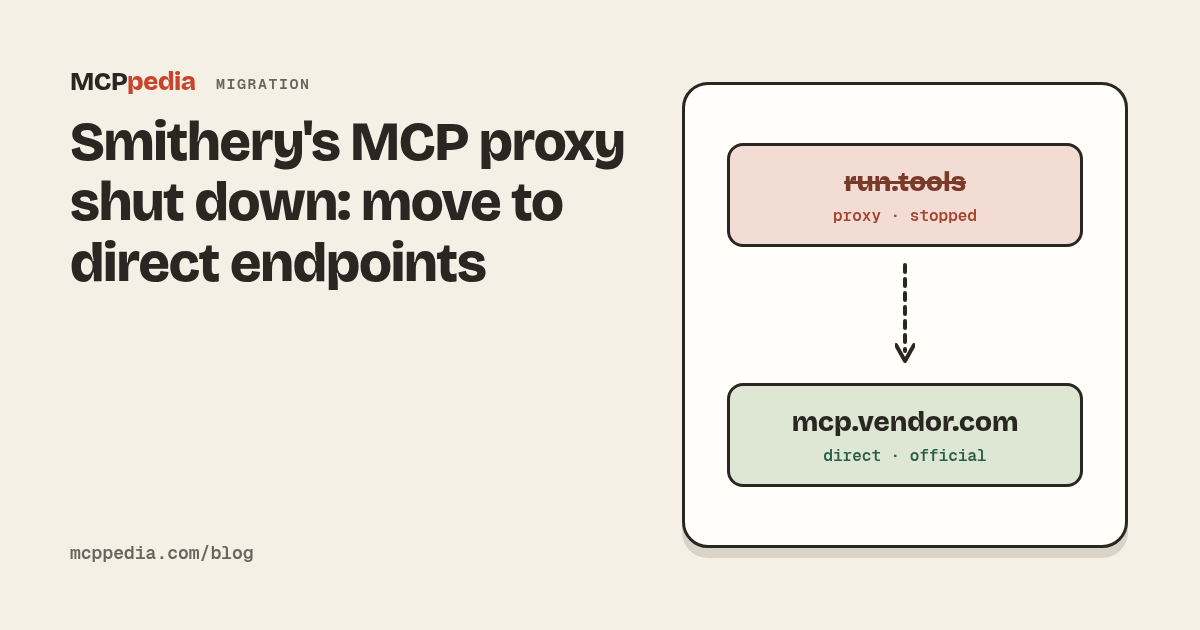
If an MCP server stopped working for you around October 31, 2026, look at its URL. If it contains run.tools or server.smithery.ai, that is the reason. Smithery shut down the service behind those URLs. The fix is to replace each one with the vendor's own MCP endpoint and sign in again.
The rest of this post covers what changed, who is affected, a checklist for the move, and how to find direct endpoints in our directory.
What changed
Two announcements matter here.
On August 5, 2026, Arcade.dev acquired Smithery. Arcade's post is Smithery joins Arcade.
On October 31, 2026, Smithery shut down its connection management services. Its notice about the future of Smithery lists what stopped:
- Server URLs on
run.toolsandserver.smithery.aistopped working. - The Smithery API, Connect and Toolbox stopped.
- Smithery accounts and API keys stopped.
- The Smithery CLI and SDKs are deprecated.
What stays is the directory. smithery.ai remains a public MCP directory, powered by Arcade.dev, and it no longer proxies connections. Its verified server pages now show the vendor's direct MCP URL. Smithery's own example is Linear: the page shows mcp.linear.app/mcp where it used to show linear.run.tools or server.smithery.ai/linear.
Smithery tells users to switch to each vendor's official MCP URL. The same notice says charges on paid plans since August 5 are being refunded.
Who is affected
You need to act if any of these apply:
- A client config has a
run.toolsorserver.smithery.aiURL. This is the common case. Those URLs no longer answer, so the server fails to connect or shows no tools. - A config passes a Smithery API key. Smithery accounts and API keys stopped, so the key no longer authenticates anything.
- A script, setup guide or dotfile uses the Smithery CLI or SDK. They are deprecated, so move off them rather than building on them.
- You built on the Smithery API, Connect or Toolbox. Those services stopped, so the integration needs a new path to each vendor's server.
You don't need to change anything for a remote server that already points at the vendor's own URL, or for a local server you start from the vendor's package without going through Smithery.
The migration checklist
Work through one server at a time. Keep the old entry until the new one works, then delete it.
1. Find every Smithery URL
Start with the config files on your machine. These are the default locations for the most common clients:
- Claude Desktop:
~/Library/Application Support/Claude/claude_desktop_config.jsonon macOS,%APPDATA%\Claude\claude_desktop_config.jsonon Windows. Also open Settings, then Connectors, because remote servers added there don't live in the file. - Claude Code:
.mcp.jsonin each project. Runclaude mcp listto see every server Claude Code has configured. - Cursor:
~/.cursor/mcp.json, plus.cursor/mcp.jsonin any project that commits one. - VS Code:
.vscode/mcp.jsonin each workspace. User settings can hold the same entries. - Windsurf:
~/.codeium/windsurf/mcp_config.json. - Cline, Goose, Continue and others: see each client's page under clients for the exact path.
On macOS or Linux, one search covers the user-level files. This is an example; add any paths your setup uses:
# Example: list config lines that mention Smithery hosts
grep -nE "run\.tools|smithery" \
  ~/.cursor/mcp.json \
  ~/.codeium/windsurf/mcp_config.json \
  ~/Library/Application\ Support/Claude/claude_desktop_config.json \
  ~/.config/Claude/claude_desktop_config.json \
  2>/dev/null
Project files are easy to miss, and a teammate may have committed one. Search your code folders too:
# Example: search project-level MCP configs under ~/code
grep -rnE --include="*.json" --include="*.yaml" --include="*.yml" \
  "run\.tools|server\.smithery\.ai" ~/code
On Windows, PowerShell's Select-String does the same job:
# Example: search the Cursor and Claude Desktop configs
Select-String -Pattern "run\.tools|smithery" -Path "$env:USERPROFILE\.cursor\mcp.json", "$env:APPDATA\Claude\claude_desktop_config.json"
Then check the places a file search won't reach: connectors added in a client's settings screen, shared team configs, onboarding docs, and CI jobs that install or call MCP servers. Write down each server you find and what you use it for.
2. Look up the official endpoint
For each server, find the URL the vendor itself publishes.
- Search for the service in our directory and open its page. A remote server's page shows its endpoint. Our Linear page, for example, lists
https://mcp.linear.app/mcp, the same URL Smithery gives in its example. - Check the badge. On MCPpedia, "Official" means a vendor namespace or a known vendor repository. The official servers list shows them all.
- Confirm on the vendor's own documentation. The endpoint's domain should belong to the vendor.
Some directory listings, ours included, were imported with a server.smithery.ai URL. Those entries are now stale. If you see one, use the vendor's page instead of the listing's URL.
If the vendor has no remote server, you have three options. Run the vendor's local package, if it publishes one. Use a community server, after vetting it. Or look at the alternatives page under a server's listing, for example alternatives to Linear, to find a server for the same job.
3. Update the config
Replace the old URL with the new one. The examples below use Linear, because Smithery's notice uses it. Your old URL may look different and may carry extra path segments or query parameters. Remove those along with the host.
Example, before, in a client that uses the mcpServers key (Cursor's mcp.json has this shape):
{
  "mcpServers": {
    "linear": { "url": "https://server.smithery.ai/linear" }
  }
}
Example, after:
{
  "mcpServers": {
    "linear": { "url": "https://mcp.linear.app/mcp" }
  }
}
Example for VS Code, where the top-level key is servers and each entry names its type:
{
  "servers": {
    "linear": { "type": "http", "url": "https://mcp.linear.app/mcp" }
  }
}
Example for Claude Code, from the command line:
claude mcp remove linear
claude mcp add --transport http linear https://mcp.linear.app/mcp
In Claude Desktop, add remote servers through Connectors in settings, then remove the old entry from the config file or the old connector. Windsurf, Goose, Continue and other clients each use their own shape. Server pages in our directory link to install pages that generate the right one for each client, such as Linear for Cursor, Linear for VS Code and Linear for Windsurf. The pattern is /servers/<server>/install/<client>.
If a config used to carry a Smithery API key, delete it. It does nothing now, and stale secrets in config files are a risk of their own.
4. Sign in again
Smithery's connection management sat between your client and the vendor. Without it, your client talks to the vendor directly, so it needs its own authorization.
Most vendor-hosted servers use OAuth. The first time your client connects, it opens a browser window where you sign in to the vendor and approve access. Read the scopes before you approve them. Some servers use an API key or a token in a header instead. Follow the vendor's documentation, and keep the token out of any file you commit or share.
While you're signed in, look at the list of authorized apps in each vendor account and remove access you no longer use.
5. Test
Restart the client, or reload its MCP servers. Then check that:
- The server shows as connected in the client's MCP view. In Claude Code, the
/mcpcommand shows each server's status. - Its tools are listed.
- A harmless, read-only call works, such as listing your own projects or issues.
If it fails, the client's MCP logs usually say why. Our guide to MCP servers that fail to start has a section on remote servers that covers wrong URLs, transport mismatches and sign-in errors.
6. Clean up
When every server works, finish the job:
- Delete the old entries and connectors.
- Remove Smithery CLI calls from scripts, dotfiles and setup docs.
- Update any committed project configs, so teammates don't pull the broken URL back in.
- Keep a short list of the direct endpoints you use. Next time something changes, you'll know exactly what to update.
Finding direct endpoints on MCPpedia
These are the pages we'd use to replace a proxied URL:
- Remote servers lists every server that installs with a URL, and official servers narrows to vendors' own.
- Best remote MCP servers and best official MCP servers rank them by trust score.
- Categories help when you know the job but not the server: developer tools, productivity, version control, monitoring and communication.
- Client pages, such as Claude Desktop, Claude Code, Cursor, VS Code and Windsurf, show where each config file lives and which servers install in that client.
A few official remote servers people commonly connect: Linear, Notion, GitHub, Sentry, Atlassian and Supabase. Copy the endpoint from the server page or from the vendor's documentation.
If you're unsure whether a remote server suits a job at all, our post on remote vs local MCP servers covers the trade-offs.
Choosing a directory from here
Directories do different jobs, and most people use more than one. smithery.ai continues as a directory, and its verified pages now show direct vendor URLs. The official MCP registry, our directory and others each cover the field in their own way. Whichever you use, these questions help:
- Does it link you to the vendor, or route traffic through itself? A direct URL depends on one company, the vendor. A proxied URL also depends on whoever runs the proxy.
- Does it say where an endpoint came from? A registry entry, a vendor repository and a user submission carry different weight.
- Does it explain what "official" or "verified" means? A label is only as useful as its definition.
- Does it show the transport and the sign-in method? You want to know whether a server needs OAuth, a key, or a local install before you start.
- Can you copy a working config without an account? Then the directory can't become a dependency of your setup.
Hosted gateways have real uses, such as central sign-in, logging and access control for a team. If you use one, keep a record of the direct endpoint behind each server, so you can switch without starting over.
FAQ
Why did my MCP server stop working on October 31, 2026?
If its URL is on run.tools or server.smithery.ai, Smithery shut those URLs down that day. Replace the URL with the vendor's official endpoint and sign in again.
Is smithery.ai going away?
No. Smithery says smithery.ai remains a public MCP directory, powered by Arcade.dev. It no longer proxies connections, and its verified server pages show direct vendor URLs.
Can I keep using my Smithery API key?
No. Smithery accounts and API keys stopped on October 31, 2026. Remove the key from your configs and secret stores.
What about the Smithery CLI and SDKs?
Smithery lists them as deprecated. Replace CLI-based installs with the vendor's endpoint or package, and plan to move any code off the SDKs.
Will I get a refund?
Smithery says charges on paid plans since August 5, 2026 are being refunded. Its notice is the place to check for details.
What if the vendor doesn't run a remote server?
Use the vendor's local package if there is one, or a community server you have vetted. A server's alternatives page in our directory lists others for the same job.
Do I have to change servers I run locally?
Only if they go through the Smithery CLI or need a Smithery API key. A local server started straight from the vendor's package is unaffected.
Is a direct endpoint safer than a proxy?
It removes one party from the path between your client and the vendor, so one fewer company sees your traffic and one fewer service can go down. You still trust the vendor, so check the scopes you grant.
Sources
- Smithery joins Arcade, Arcade.dev, on the acquisition of August 5, 2026
- The future of Smithery, Smithery, on the October 31, 2026 shutdown, the directory and refunds
Servers in this post

Linear
Unknown author
Find and manage issues, projects, and documents in your Linear workspace.
mcp
Unknown author
Official Notion MCP server

Connect AI assistants to GitHub - manage repos, issues, PRs, and workflows through natural language.
MCP server for Sentry - error monitoring, issue tracking, and debugging for AI assistants
Atlassian Rovo MCP Server
by atlassian · JavaScript
Connect to Atlassian Jira, Confluence, Loom, and more to search, create, and manage your work.

MCP server for interacting with the Supabase platform