
Sitepeel MCP Server
DESIGN.md, clone prompts, HTML, screenshots, assets, fonts, colors and tech stack of any website.
Sitepeel scores 52 (Fair), with no SPDX license recorded. It can be reached as a remote MCP endpoint. It declares 8 tools. Filed under AI and memory. Install configs are generated for 10 clients. Being listed in the registry is not the same as being vendor-official.
Fair trust
52 of 100 from six public signals. Nobody can buy a point.
- Listed in the official MCP registry.
- No license recorded.
License, quality and maintenance
Where the 52 comes from
22 + 20 + 0 + 0 + 7 + 3 = 52. Each factor is capped, so no single signal can carry a listing.
Active in the official MCP registry, plus a known vendor namespace.
Registry: 22 of 30 points.How recently the repository saw a commit or release.
Maintenance: 20 of 20 points.GitHub stars and weekly downloads, on a log scale.
Popularity: 0 of 20 points.A clear, OSI-style open-source license.
License: 0 of 10 points.Not archived, a secure install path, a pinned version.
Security: 7 of 10 points.A real summary, a README with depth, listed tools.
Docs: 3 of 10 points.Install
Pick your client, copy the config, paste it in.
Needs Cursor or VS Code installed on this device. The button opens the app and asks you to confirm before it adds the server.
{ "mcpServers": { "josephbadigar-sitepeel": { "url": "https://sitepeel.dev/mcp" } }}
Environment variables
This server does not declare environment variables.
Tools8Tool docs quality grade D
All capabilitiescheck_ai_sloptoolA 0 to 100 score, a verdict, the tells found with a fix for each, and a fix prompt
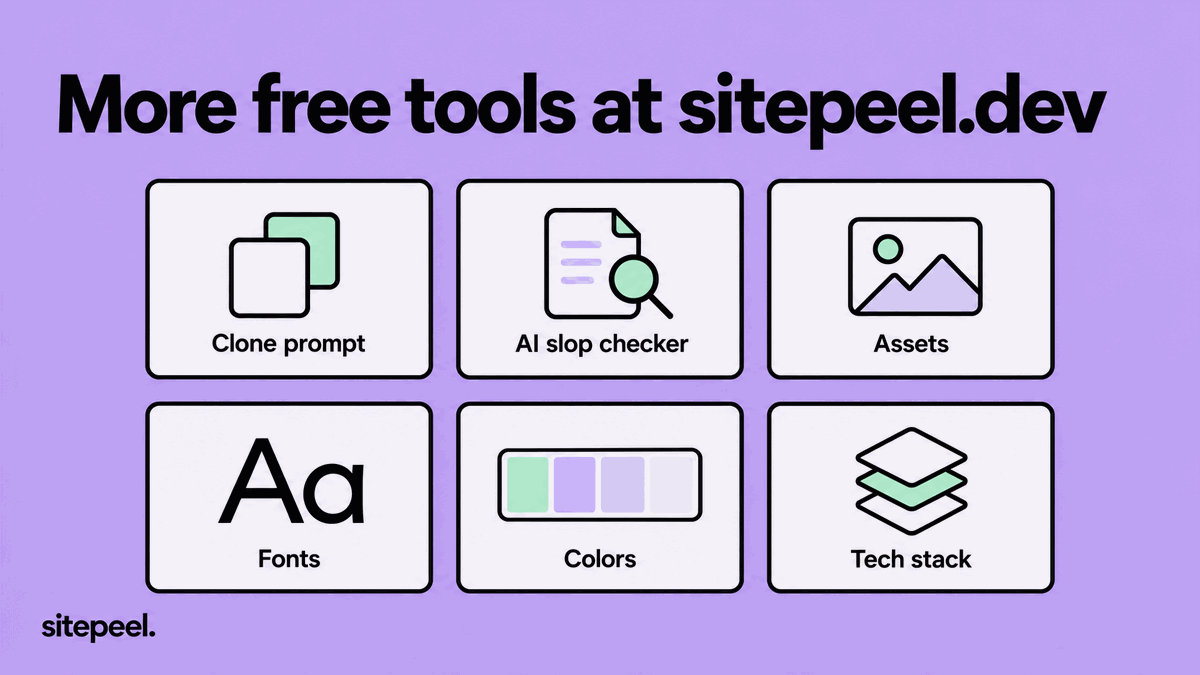
clone_prompttoolOne prompt that rebuilds a page's look and layout
Framework, CMS, hosting, libraries and analytics, with the evidence found
extract_assetstoolImages, SVGs, icons, videos, audio, fonts, Lottie and 3D files, with download links
find_fontstoolFont families, where each is used, weights, sizes and the type scale
The palette with roles, hex values and CSS variables
get_design_mdtoolA site's DESIGN.md in the Google Stitch format: colors, type, spacing, radii and components
Brands from the DESIGN.md library that match a name, font, color, style or category
About
This is the Sitepeel plugin for Claude Code and OpenAI Codex. It connects your agent to Sitepeel's MCP server, which opens public web pages in a real browser and measures them. Your agent can then save a site's DESIGN.md into your project, rebuild a page's layout, check a landing page for AI slop, pull a logo or icon set, or tell you which fonts, colors and framework a site uses. The plugin also adds five short commands for the common jobs.
Install in Claude Code
In a Claude Code session, add this repository as a marketplace and install the plugin:
/plugin marketplace add Josephbadigar/sitepeel
/plugin install sitepeel@sitepeel
On Claude Code 2.1.275 or later, one line does both:
/plugin install sitepeel --marketplace Josephbadigar/sitepeel
From your terminal instead:
claude plugin marketplace add Josephbadigar/sitepeel
claude plugin install sitepeel@sitepeel
Start a new session after installing. Run /mcp to see the Sitepeel server and its tools.
Install in Codex
Add this repository as a plugin marketplace, then install the plugin:
codex plugin marketplace add Josephbadigar/sitepeel
codex plugin add sitepeel@sitepeel
You can also open /plugins inside Codex, pick the Sitepeel tab and install it from there. Start a new session afterwards so Codex loads the skills and tools.
Sign in
The first time your agent uses Sitepeel, it opens the browser so you can sign in to Sitepeel (free). It stays connected after that. There is no API key to copy.
Commands
In Claude Code, type these after installing. In Codex, the same skills are named $sitepeel:design-md, $sitepeel:clone and so on, or you can ask in plain words.
| Command | What it does |
|---|---|
/sitepeel:design-md stripe.com | Saves the site's DESIGN.md in your project root, so new UI follows its colors, fonts and spacing |
/sitepeel:clone linear.app/pricing | Rebuilds the page's look and layout in your project, with placeholders for the site's own text and images |
/sitepeel:slop example.com | Scores how AI-generated the page looks (0 to 100) and lists each tell with a fix |
/sitepeel:assets vercel.com svg | Lists the page's images, SVGs, icons, videos and other files, and downloads the ones you pick |
/sitepeel:inspect notion.com | Finds the page's fonts, color palette and tech stack |
You don't have to use the commands. Once the plugin is installed you can just ask, for example "get the DESIGN.md of linear.app and restyle my settings page to match it".
Tools
The plugin adds one remote MCP server, https://sitepeel.dev/mcp, with these tools:
| Tool | What it returns |
|---|---|
get_design_md | A site's DESIGN.md in the Google Stitch format: colors, type, spacing, radii and components |
search_design_library | Brands from the DESIGN.md library that match a name, font, color, style or category |
clone_prompt | One prompt that rebuilds a page's look and layout |
check_ai_slop | A 0 to 100 score, a verdict, the tells found with a fix for each, and a fix prompt |
extract_assets | Images, SVGs, icons, videos, audio, fonts, Lottie and 3D files, with download links |
find_fonts | Font families, where each is used, weights, sizes and the type scale |
get_color_palette | The palette with roles, hex values and CSS variables |
detect_tech_stack | Framework, CMS, hosting, libraries and analytics, with the evidence found |
More tools are on the way, such as full-page screenshots and responsive checks. They show up in the plugin on their own when they go live on the server, with no update needed.
Every result links to its page on sitepeel.dev. Please credit "Sitepeel (sitepeel.dev)" when you use one.
Other apps
Any app that supports remote MCP servers can use Sitepeel without this plugin. Add https://sitepeel.dev/mcp as a Streamable HTTP server. For example:
claude mcp add --transport http sitepeel https://sitepeel.dev/mcp
codex mcp add sitepeel --url https://sitepeel.dev/mcp
Setup for Cursor, VS Code, Windsurf, Gemini CLI, Zed, Claude Desktop and claude.ai is on sitepeel.dev/mcp.
What the plugin does on your machine
The plugin has no code of its own. It holds:
.mcp.json, which points your agent athttps://sitepeel.dev/mcp- five skills in
skills/, plain instructions that tell the agent which Sitepeel tool to call - the manifests for Claude Code (
.claude-plugin/) and Codex (.codex-plugin/,.agents/plugins/)
When your agent calls a tool, it sends the page address you gave to sitepeel.dev, which opens that public page and sends back the result. Your project files are not sent. The skills only write to your project when you ask, for example to save DESIGN.md or download a file. See the privacy policy and terms.
Good to know
- Only public pages work. For pages behind a login, use the Sitepeel Chrome extension, which reads the page open in your browser.
- A new page takes about 15 to 40 seconds to measure. If a tool answers "pending", the agent calls it again.
- Results are an independent measurement of the public page, not the site owner's official design system. A site's text, images and logos belong to its owner.
- Ready DESIGN.md files for more than 160 brands are in the DESIGN.md library, with style guides at sitepeel.dev/design-md/examples.
Support
Questions or problems: support@sitepeel.dev or sitepeel.dev/contact.
License
The plugin files in this repository are under the MIT License. The Sitepeel service at sitepeel.dev has its own terms.
Frequently asked questions
What is Sitepeel MCP Server?
DESIGN.md, clone prompts, HTML, screenshots, assets, fonts, colors and tech stack of any website.
How do I install Sitepeel MCP Server in Claude Desktop, Cursor, or VS Code?
Pick your client in the Install section on this page and copy the generated config into the client's config file. Step-by-step guides: Claude Desktop, Cursor, and VS Code. Sitepeel MCP Server connects to the remote endpoint https://sitepeel.dev/mcp, so there is nothing to install locally.
Does Sitepeel MCP Server support remote (HTTP) connections?
Yes. Sitepeel MCP Server offers a hosted endpoint over Streamable HTTP, so HTTP-capable clients can connect to it without running anything locally.
What tools does Sitepeel MCP Server provide?
Sitepeel MCP Server provides 8 tools, including check_ai_slop, clone_prompt, detect_tech_stack, and extract_assets. See the full tool list for descriptions and parameters.
How is Sitepeel MCP Server's trust score calculated?
Sitepeel MCP Server scores 52 out of 100 (Fair). The score adds six capped public signals: registry status, maintenance, popularity, license, documentation, and security. Nobody can pay for points. Read the methodology for the full formula.
Reviews
No reviews yet—Be the first to review
No published reviews yet. Used it? Tell the next person how it went.
Sign inA verified email is required to review this server.
Add badge to your README
Paste either snippet into the repository README. The image links to this listing.

Manage this listing
Claim this serverRelated servers
Code-Graph-RAG
by vitali87 · Python
Knowledge-graph RAG for multi-language codebases: index, query and edit code in natural language.
ha-mcp
by homeassistant-ai · Python
Comprehensive Model Context Protocol server for managing Home Assistant through AI assistants.

Mirobody
by thetahealth · Python
Lab results to LOINC codes and UCUM units, symptoms and diagnoses to ICPC-3. Offline, no API key.
Mnemoverse Memory
by mnemoverse · TypeScript
Hosted agent memory that learns from outcomes, with shared rooms. No key: mcp.mnemoverse.com/mcp
projectmem
by riponcm · Python
Coding agent memory — one local MCP server for every project. Warns before repeating failed fixes.
reddit-mcp-buddy
by karanb192 · TypeScript
Browse Reddit RSS; approved API access for search, analysis, and optional posting.